Create LLM Resources
LLM resources provide a centralized way to manage your Artificial Intelligence (AI) model connections within Druid. By creating LLM resources in the Druid Portal, you define the necessary credentials and endpoints once, allowing you to reuse them consistently across multiple features, including:
- LLM NLU (Natural Language Understanding)
- LLM Machine Translation
- LLM Response Streaming
This unified approach simplifies configuration and ensures consistent access to your language models throughout your bot implementation.
Different providers support different configuration options. For example, Azure OpenAI supports two authentication methods:
- API key
- OAuth (Microsoft Entra ID)
Other providers support only API keys.
Prerequisites for using OAuth for Azure OpenAI resources
- Register an application in Microsoft Entra ID following the Microsoft instructions.
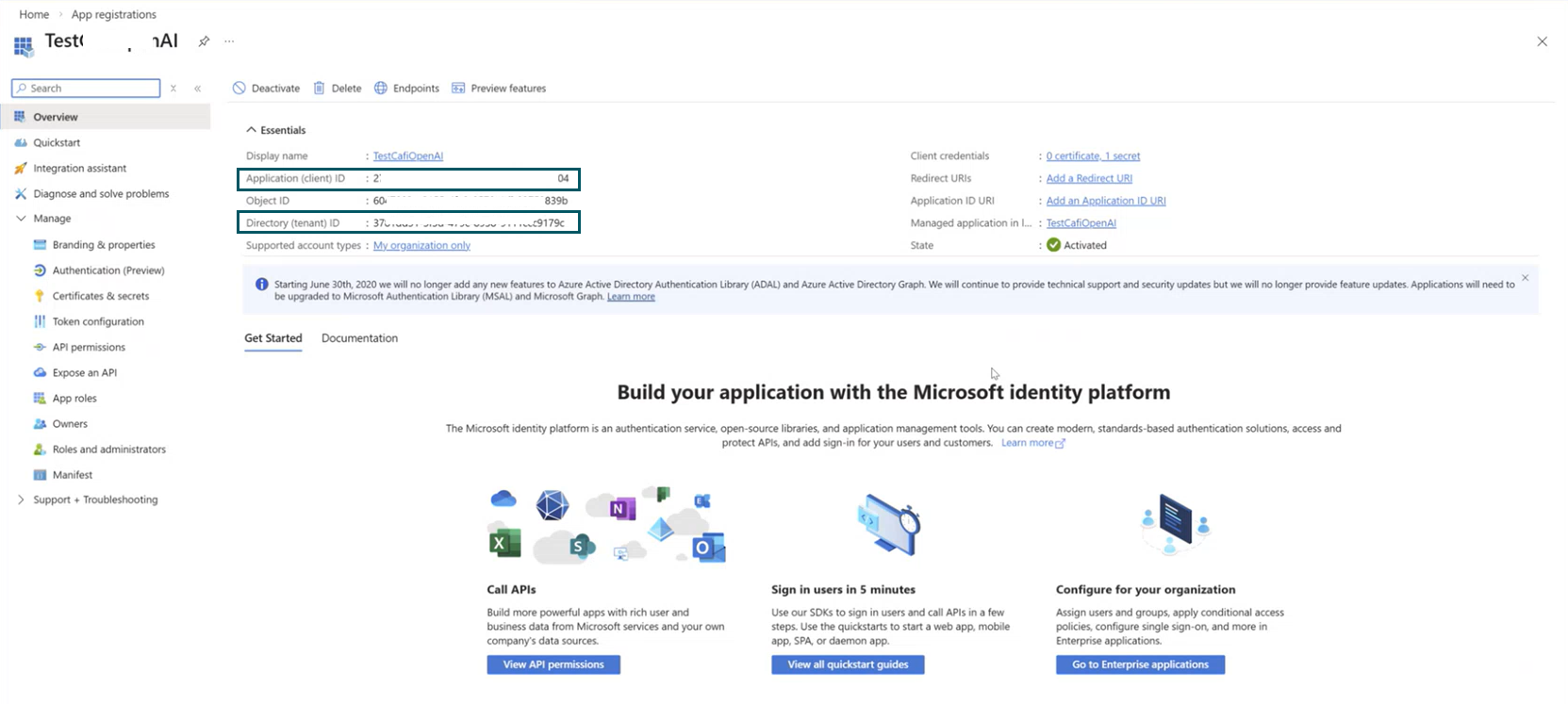
- After you register the application, note the following values:
- Application (client) ID
- Directory (tenant) ID
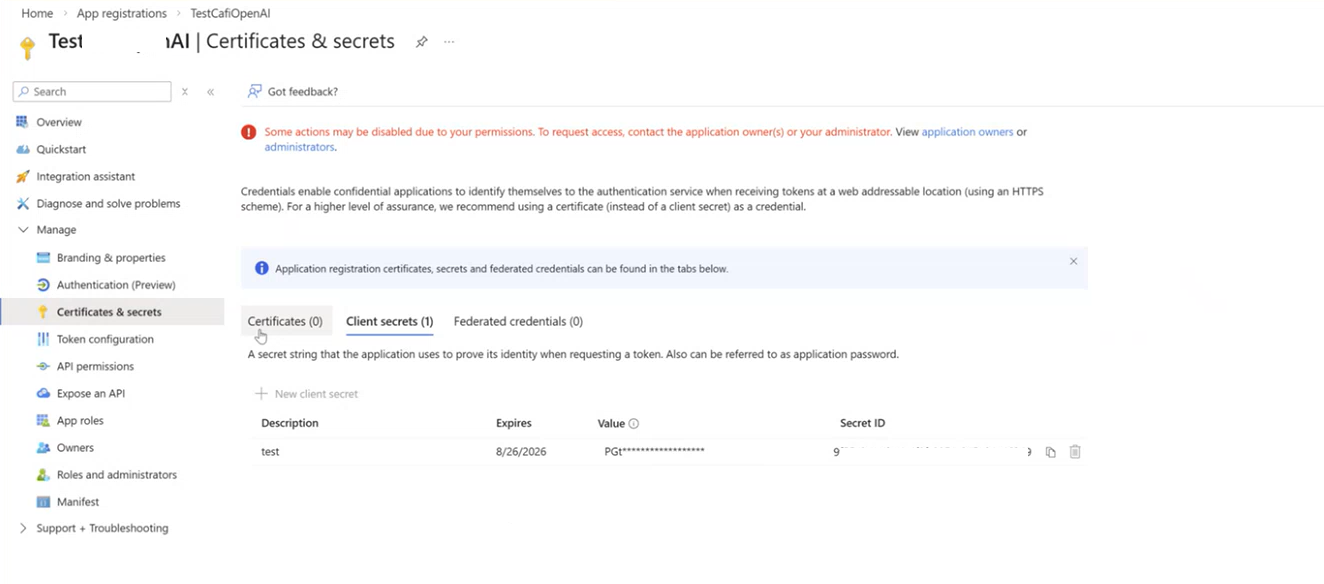
- Create a client secret for your app (Manage > Certificates & Secrets). When a new client secret is generated, copy the value as you'll need it in Druid.
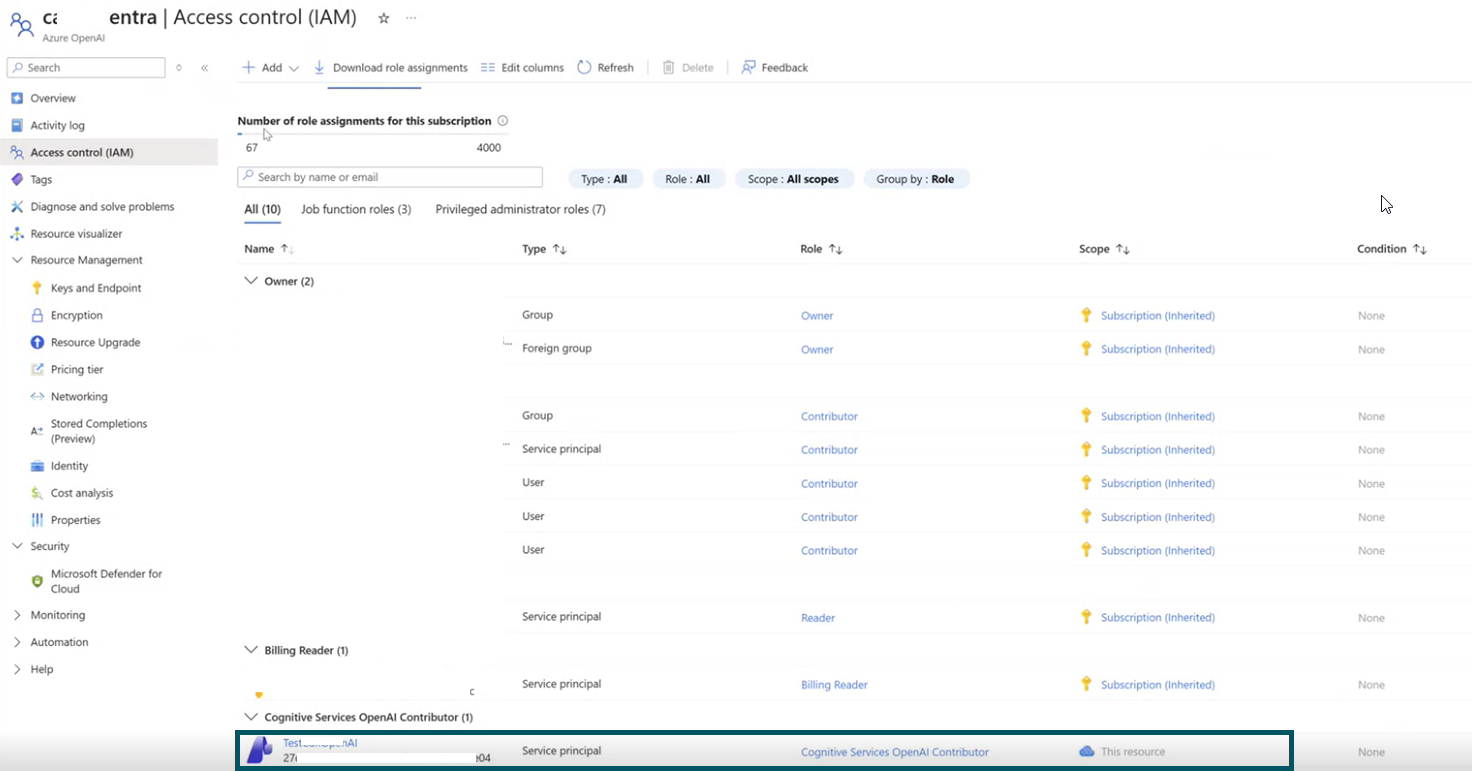
- Grant the application access to Azure OpenAI:
- Open your Azure OpenAI resource in the Azure portal.
- Select Access control (IAM).
- Select Add role assignment.
- Assign the role Cognitive Services OpenAI Contributor.
- Select Members.
- Choose Service principal.
- Select the application you registered.
- Select Review + assign.
You can find these values in the application Overview page.
Add an LLM resource
To add and configure a new LLM connection:
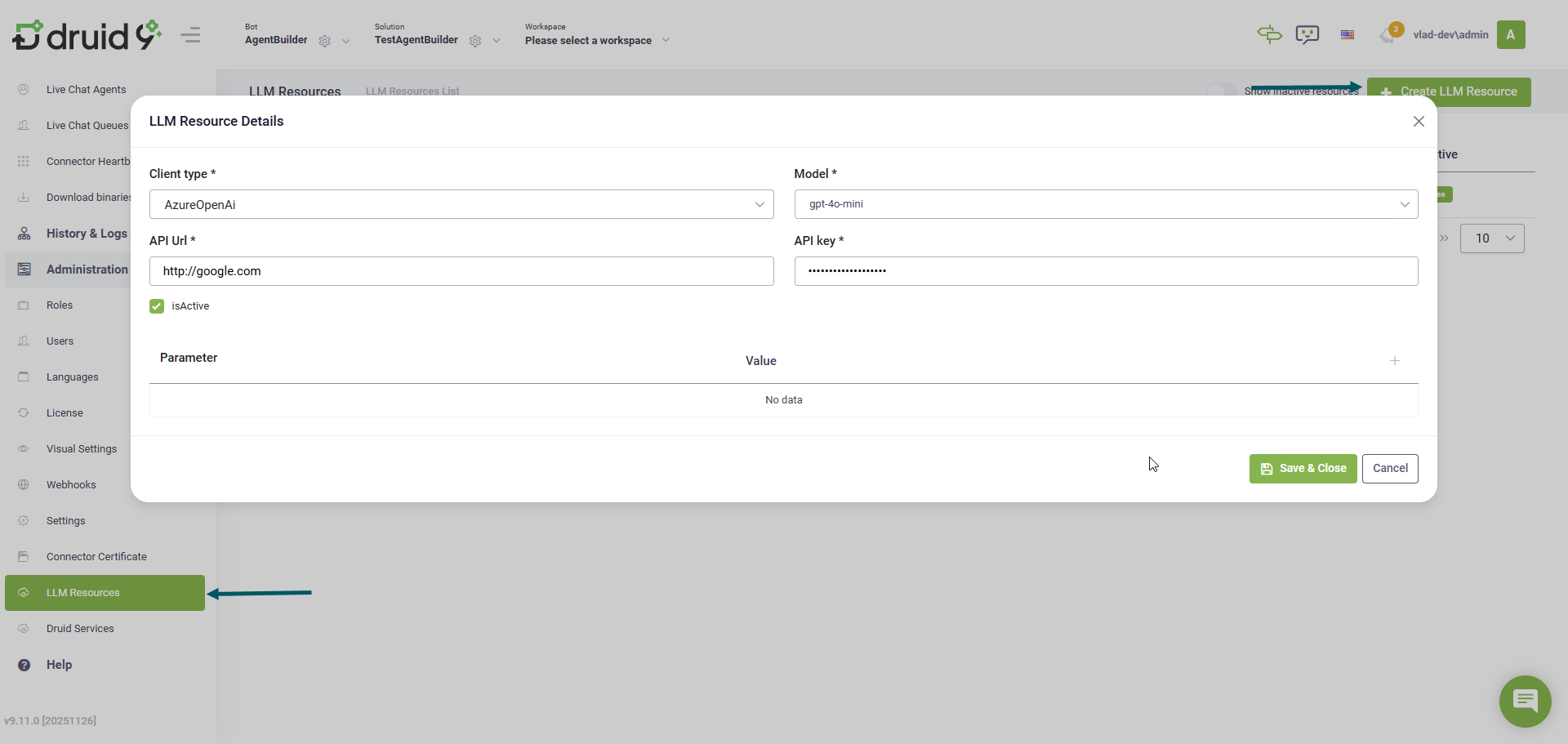
- Go to Administration > LLM Resources.
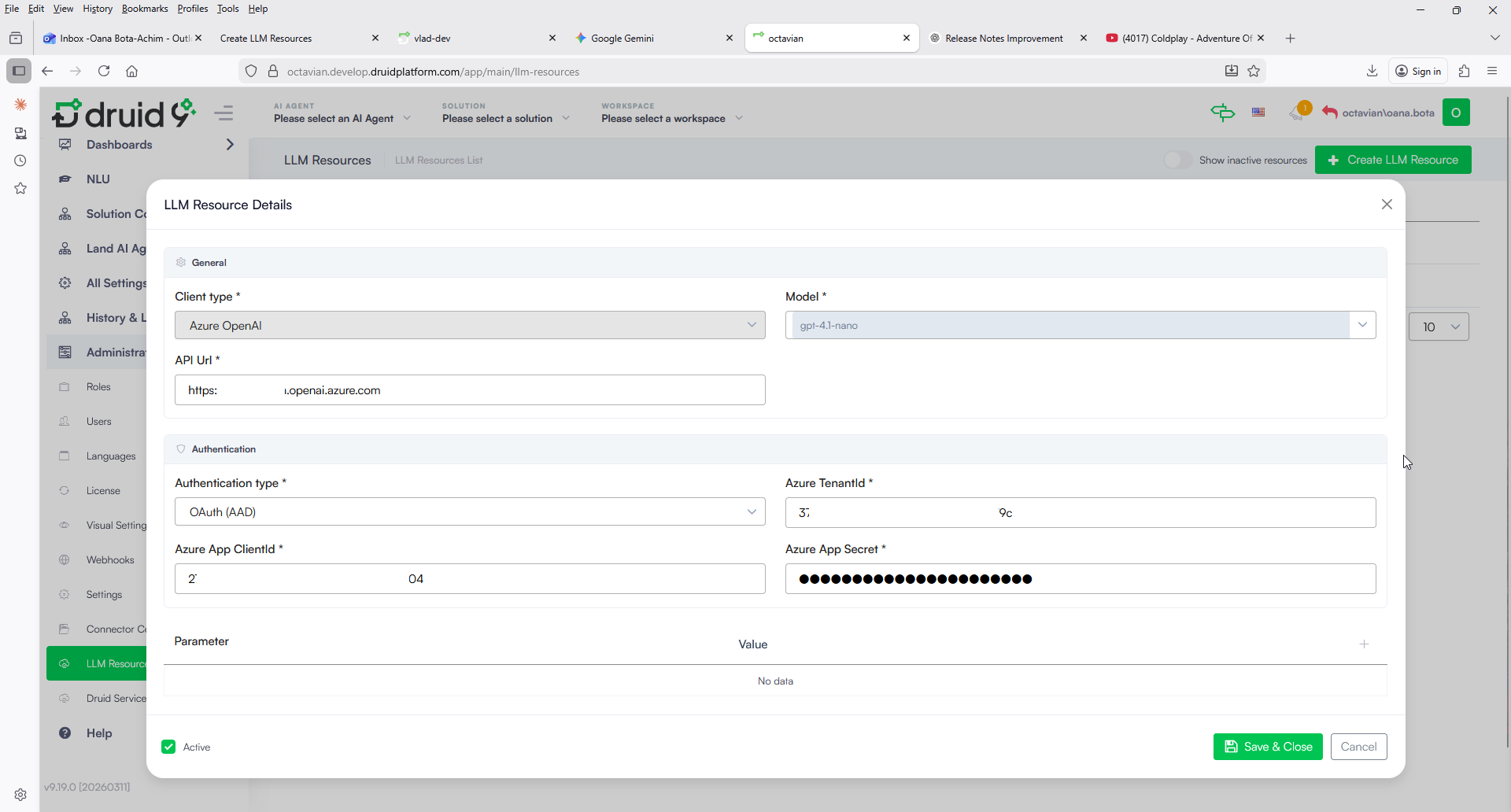
- Click the Create LLM Resource button. The LLM Resource Details modal appears.
- Complete the LLM resource details:
- Client Type: Select the type of LLM client you are using.
- Model: Select or enter the specific model name you intend to use.
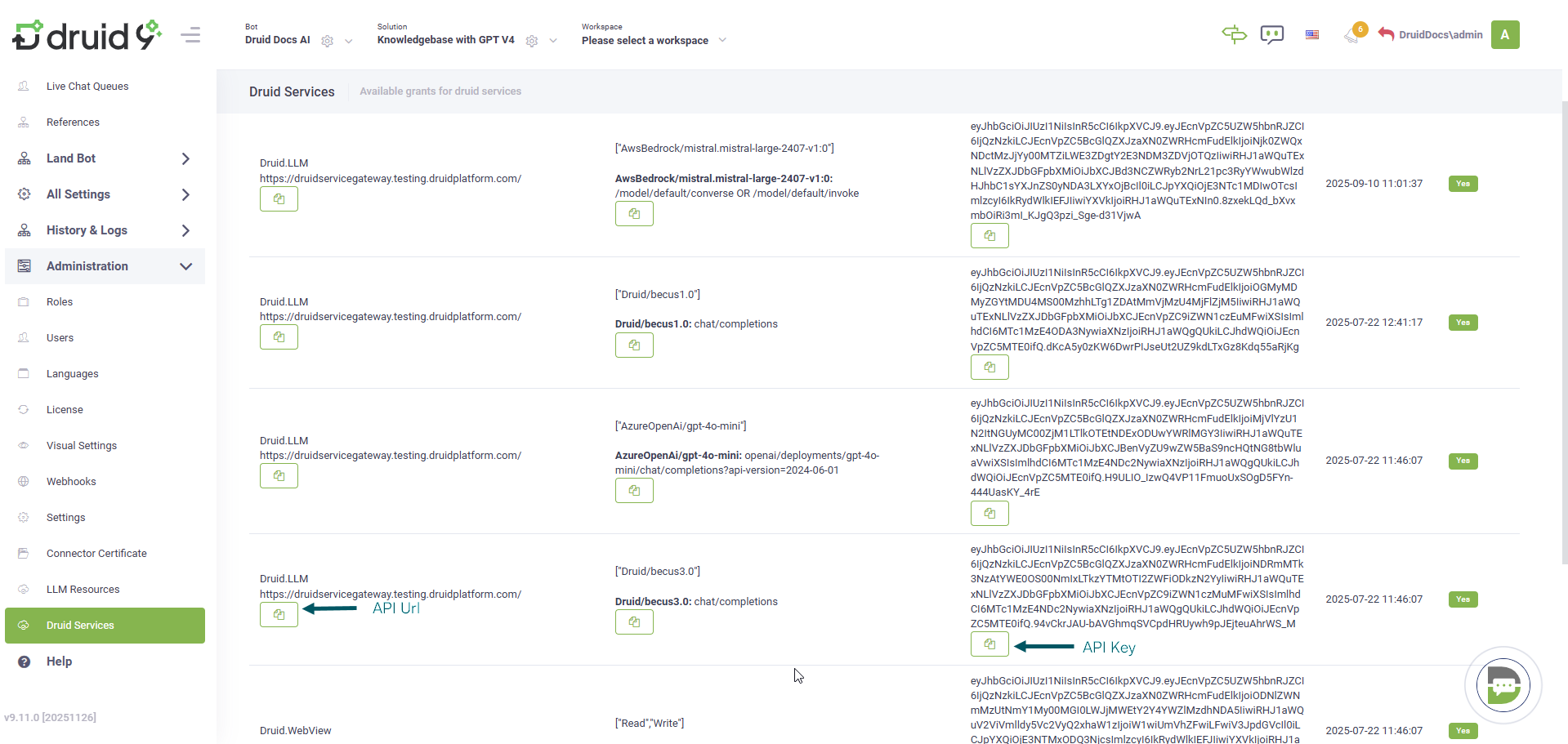
- API Url: Enter the LLM service endpoint URL.
- API key: Enter the secret API key provided by your LLM service provider.
- API Key
- OAuth (AAD). Select OAuth (AAD) for enhanced security. Unlike a static API key, which is valid until rotated, OAuth uses short-lived tokens. When selected, you must provide the following values you copied from Azure:
-
Azure TenantId: The unique identifier of your Azure instance (the Directory (tenant) ID).
-
Azure App ClientId: The Application ID of your registered app (the Application (client) ID).
-
Azure App Secret: The client secret value generated for your app.
- If you selected Google as Client Type, you also need to enter the location of the location for a Vertex AI and your Google project id.
- Click Save & Close.
If you selected Azure OpenAI as Client Type, two authentication options are available: